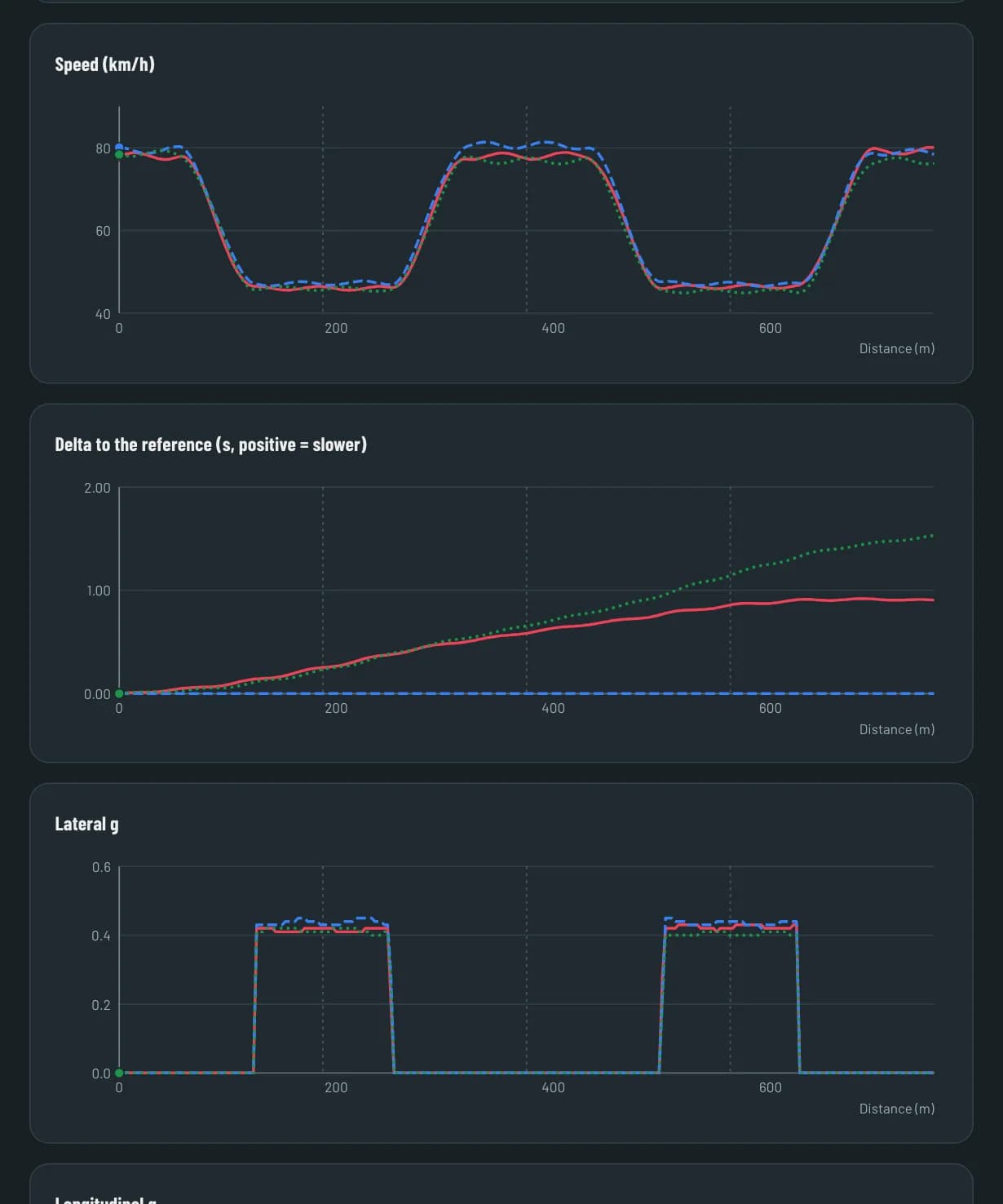
Compare laps
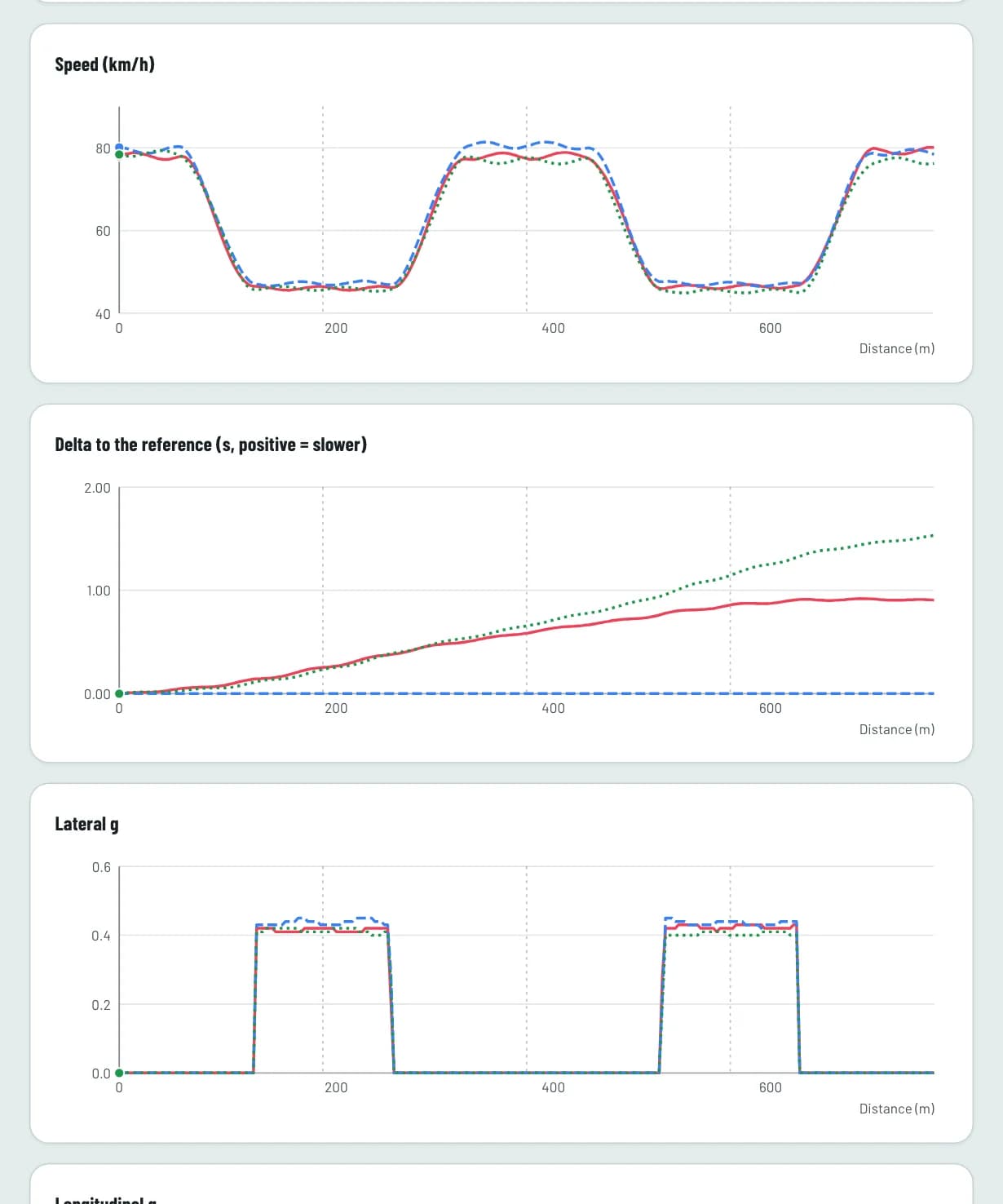
Put up to six laps side by side: speed and G-force channels, a G-G plot and a map that shows where time is gained or lost.


Each driver's phone times the laps and sends them to one web board. The pit follows the race there, keeps the stints within the rules and calls the driver in. After the race, the team compares laps and replays the event.
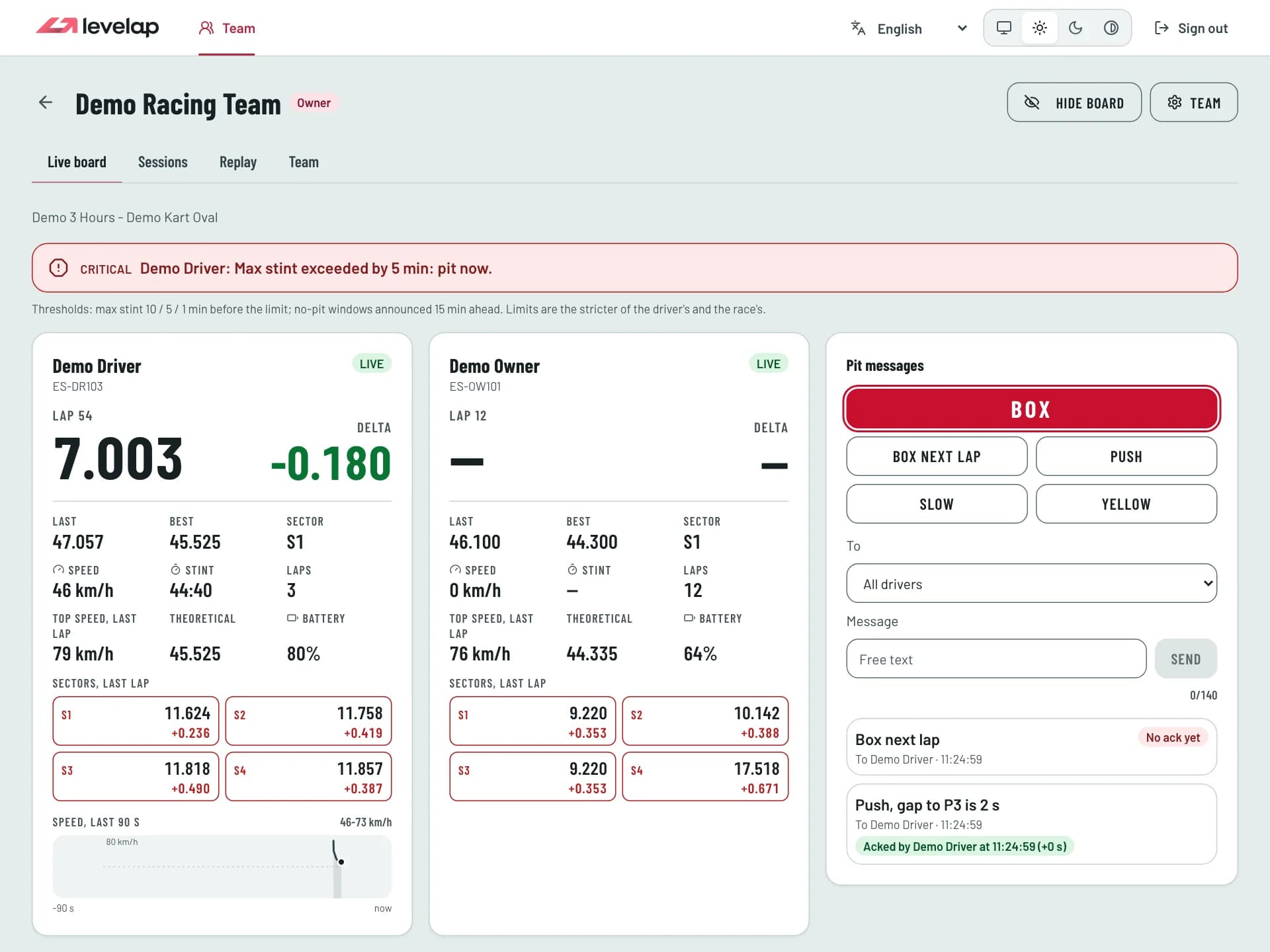
The driver's phone records, the pit wall follows the race, and the team reviews it together.
25 Hzfrom a RaceBox logger
The app logs GPS and IMU telemetry from a RaceBox logger, or the phone's GPS. Laps and up to eight sectors are timed against your start/finish line, with a live delta to your best lap and a theoretical best lap.
1 sbetween live updates
During a team event, each driver sends position, speed, lap and delta to the team. The pit follows it on the web board or in the app, and sends messages back to the driver.
6laps side by side
Drivers share the sessions they choose. The web board compares laps and replays the event's uploaded laps, so the team can see where time was gained or lost.
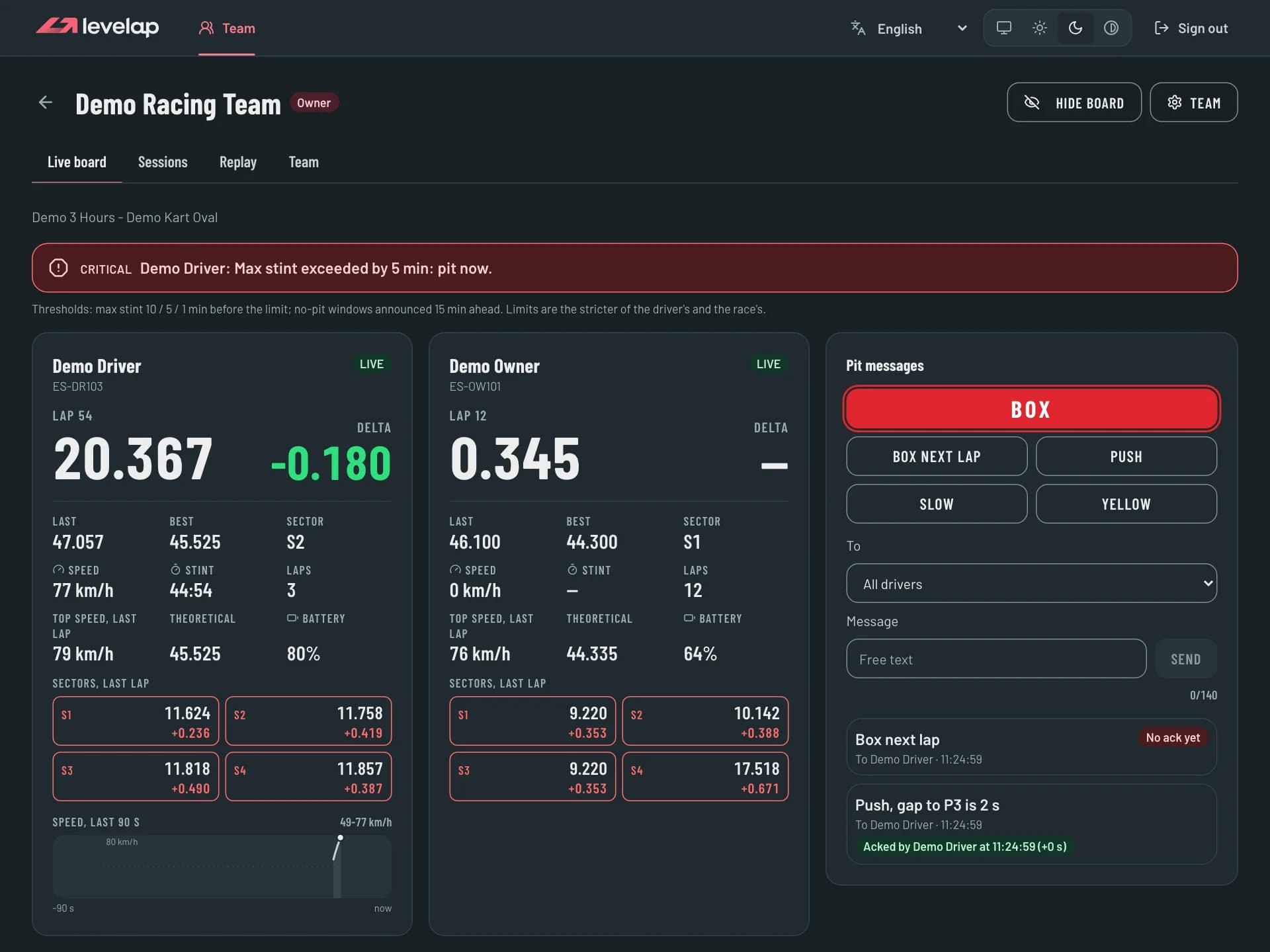
Everything the pit needs during an endurance race on one screen, kept up to date by the drivers' phones.
Position, speed, lap, lap time, best lap, delta, sector and battery for each driver, refreshed about once per second.
Send BOX, BOX NEXT LAP and other short messages, and see when each driver has acknowledged them.
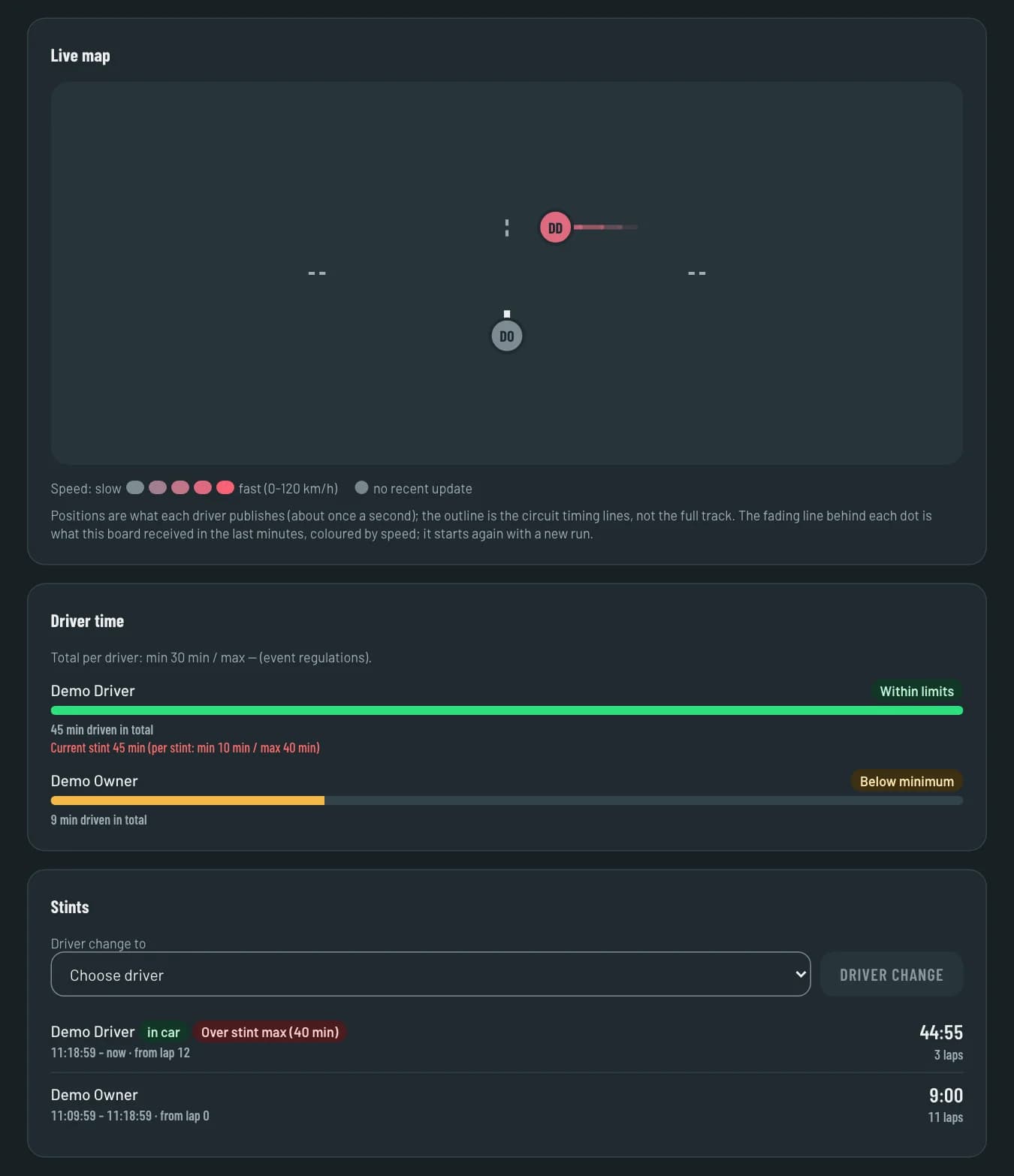
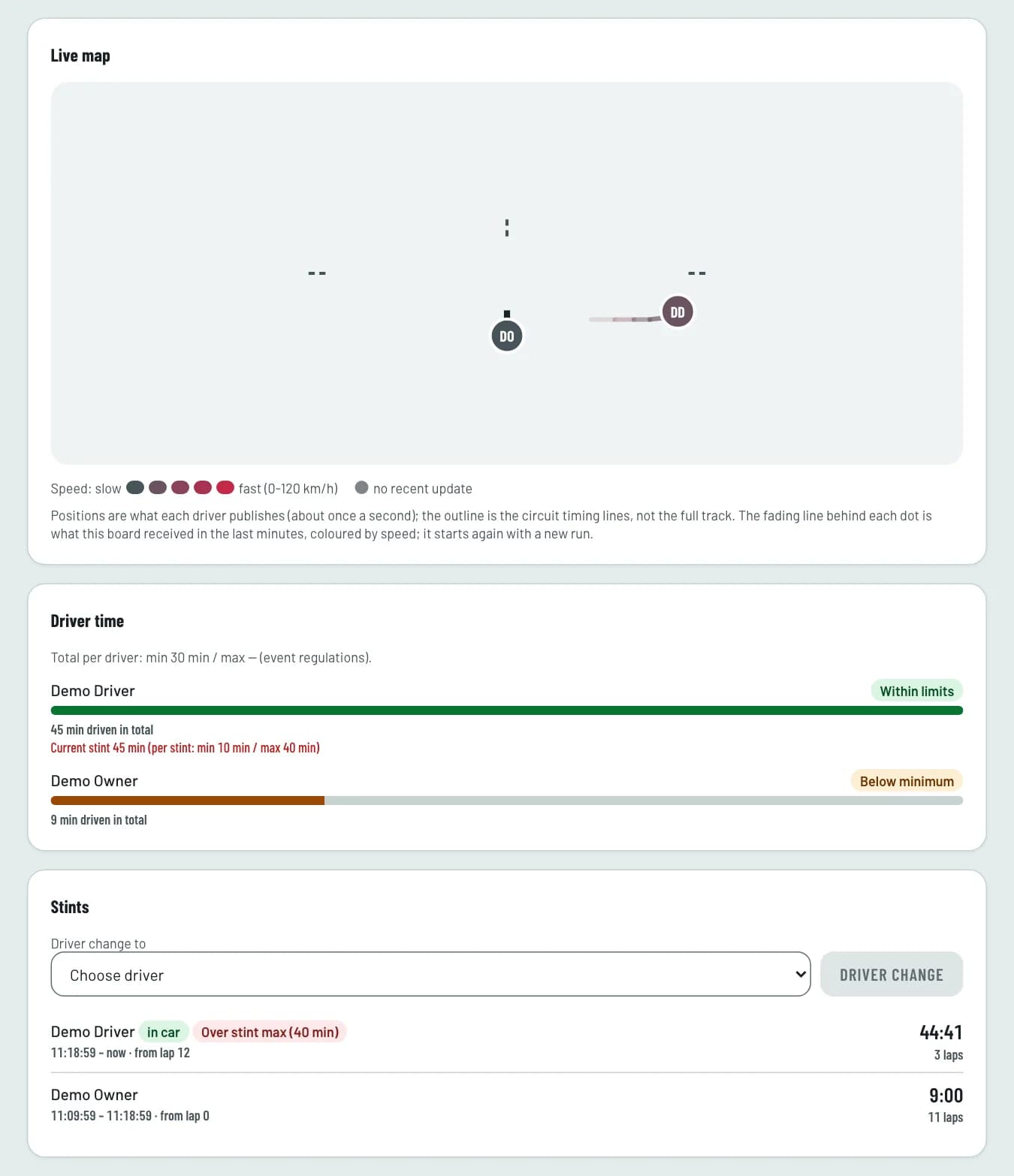
See who is in the kart and for how long, log driver changes, and get a warning when a stint or a pit stop would break the event's regulations.
Each driver's position on a map of the circuit, with speed shown in colour.
Create a team, invite people by code or Levelap ID and give each one a role: owner, pit, driver or viewer. Set an event's regulations: duration, minimum stops, stint minimum and maximum, and no-pit windows.
Hide the board in one click when other people can see the screen.
Once the team is linked to its Apex Timing entry, the board adds the pit window, real position, an "if I pit now" estimate, pace, rivals, the pit log and the time lost in pits, plus the official standings when the circuit publishes them.
Drivers choose which sessions to share with their team. Each lap is shared as a 256-point trace.
Put up to six laps side by side: speed and G-force channels, a G-G plot and a map that shows where time is gained or lost.
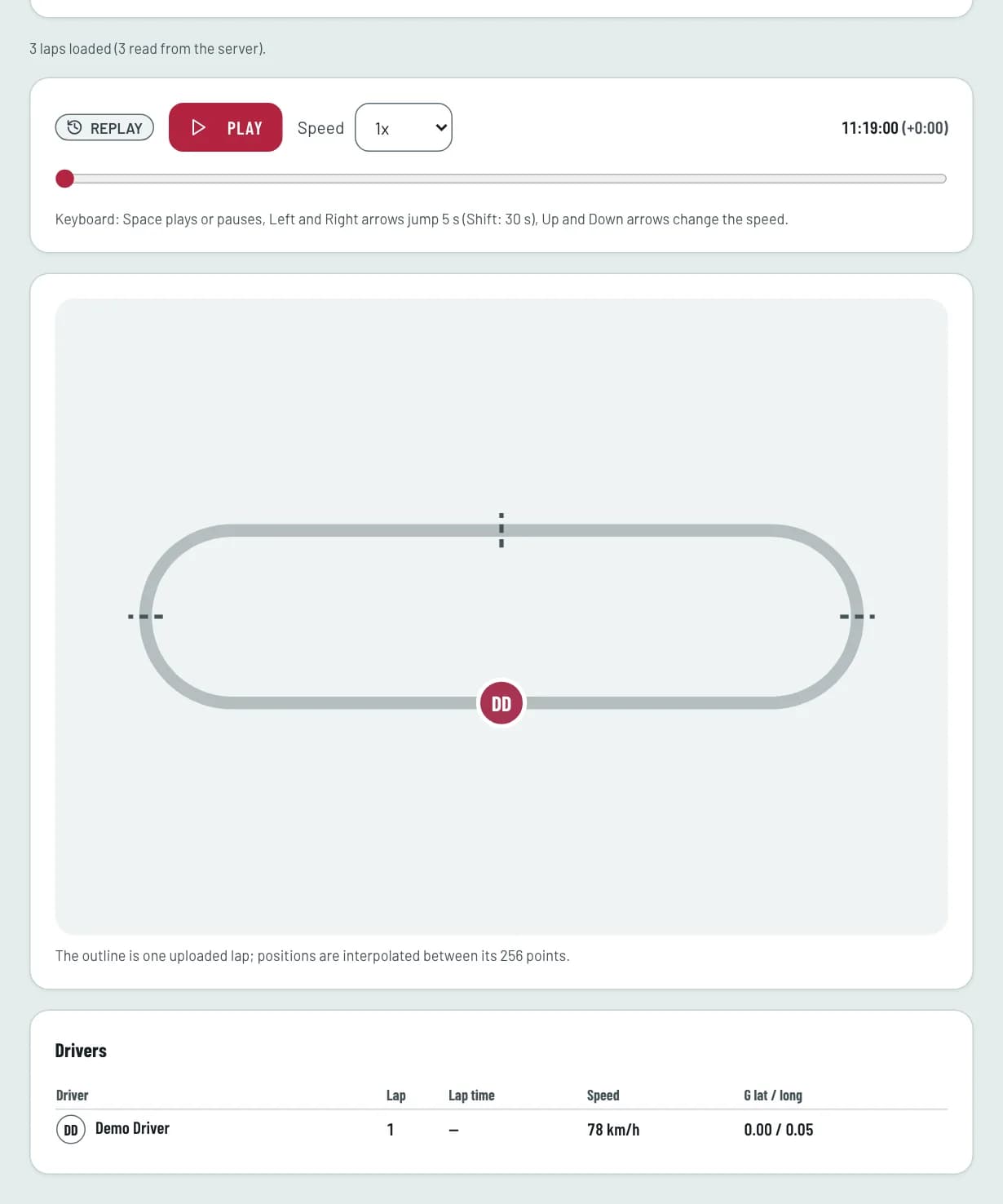
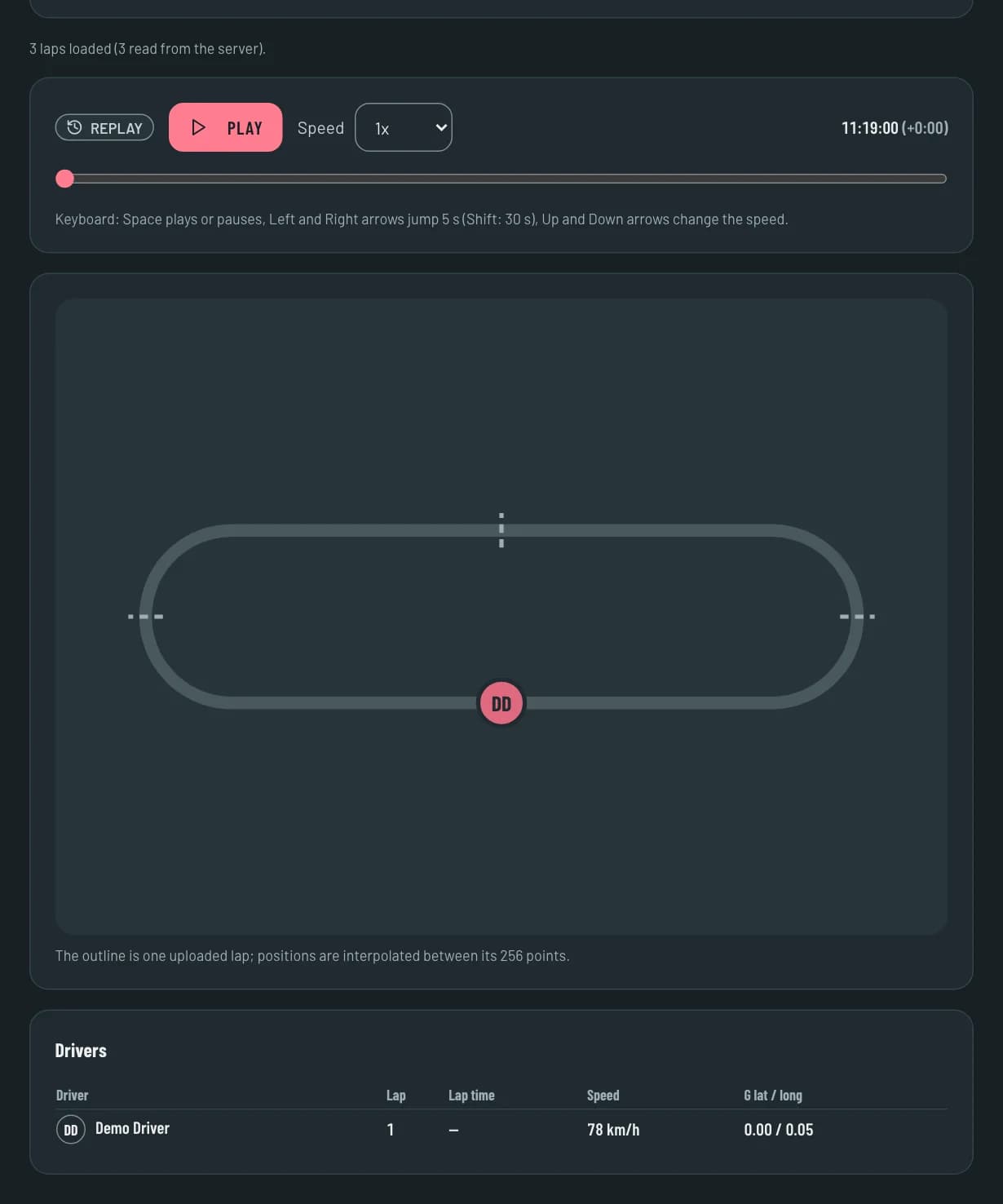
Replay an event's uploaded laps at speeds from 1x to 8x.
Data belongs to each driver. What a driver shares reaches only their team.
You can delete your account, and your data with it, from the app.
Sign in with your Levelap account to reach your team's board, sessions and replays.